

Just added this to make it easier on larger files and video clips that you might have
Instructions below
Click the link as shown below
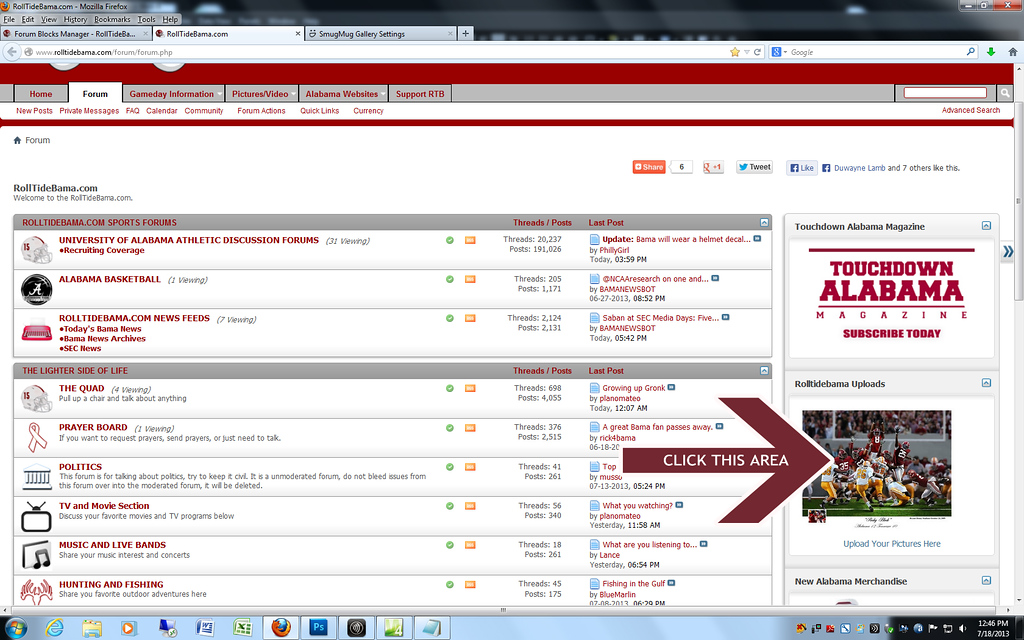
After clicking it will open into a new window and you can drag and drop files or browse for them on your computer, the screen will look something like this

Give it a few seconds and then click the I'm done uploading and all of the images should be up
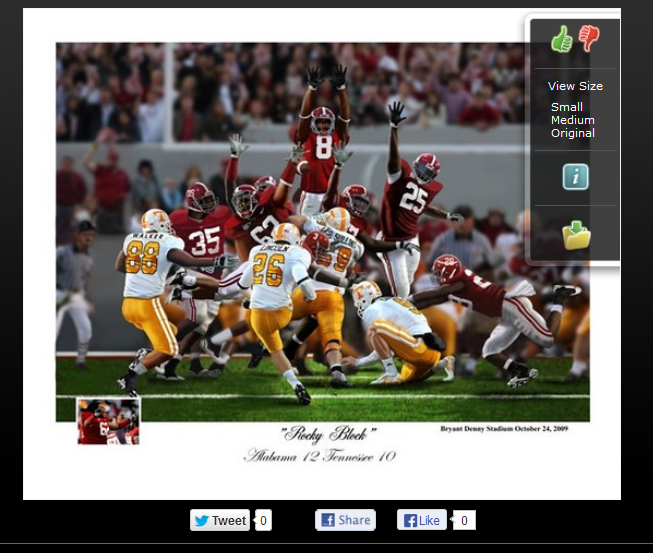
Now just move your mouse over the image on the right and choose the size you would like to add to the site and click that, it should open and then right click the image again to copy image location and paste into the image section on the site
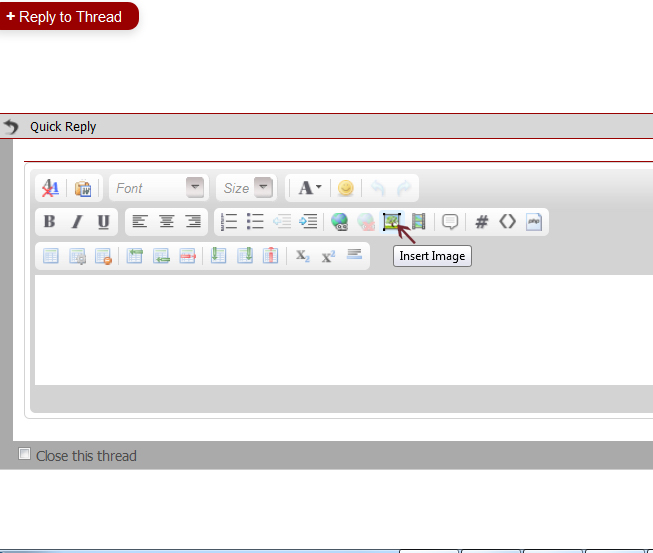
try and remember to uncheck the box so it will keep the bigger file size without someone having to click it to make it bigger
Instructions below
Click the link as shown below
After clicking it will open into a new window and you can drag and drop files or browse for them on your computer, the screen will look something like this
Give it a few seconds and then click the I'm done uploading and all of the images should be up
Now just move your mouse over the image on the right and choose the size you would like to add to the site and click that, it should open and then right click the image again to copy image location and paste into the image section on the site
try and remember to uncheck the box so it will keep the bigger file size without someone having to click it to make it bigger


