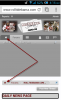

Just cleaning things up a bit on the navbar as we're adding things like schedules, our multi-media sections, etc.
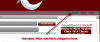
In the original template you clicked on your username to get to your profile, the tab titled "inbox" for private messages, or the "Alerts" tab for threads you had been tagged in, where you've been quoted, posts that have been "liked," and so on.
I've cleaned it up just a tad which is represented in the following images.
-----------
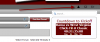
In the original template you clicked on your username to get to your profile, the tab titled "inbox" for private messages, or the "Alerts" tab for threads you had been tagged in, where you've been quoted, posts that have been "liked," and so on.
I've cleaned it up just a tad which is represented in the following images.
-----------